Online / Hosted on Netlify
Web development, JS
Tailwind CSS, Vite, JavaScript
2025
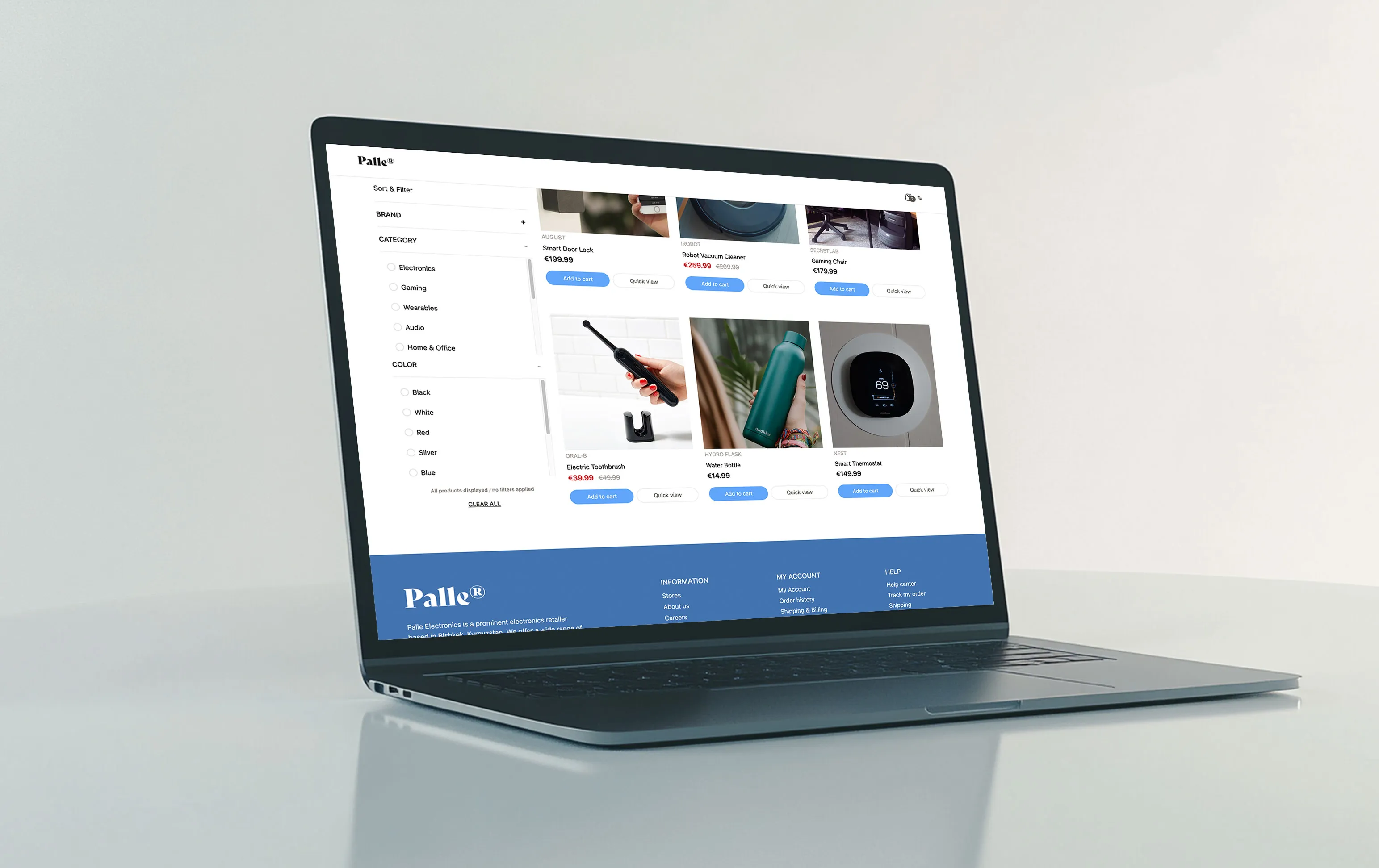
This project is a functional product collection page with shopping cart and dynamic filtering by brand, color, or category. Users can add products to the cart, increase or decrease quantities, or remove items completely.
The cart updates dynamically, showing the subtotal in real time - showing the cart subtotal sum, quantity, and product information in the cart. The project showcases modern frontend development skills using JavaScript and Tailwind CSS.
The challenge was to manipulate product and cart data dynamically using arrays and array methods, ensuring that adding, updating, and removing items reflected accurately in the cart subtotal sum and cart UI drawer.
Additionally, it was required that users could filter products by brand, color or category, which required managing state and dynamically updating the displayed product list.
To achieve this functionality - I needed to gain about understanding how all parts of the cart and filtering functionality interact to provide a seamless user experience.
- Implement dynamic product filtering, leveraging data attributes mapped to a filters object
- Interactive shopping cart updates without page reload
- Manipulating product data and updating the cart state dynamically based on user interactions
- Responsive design for mobile and desktop
- Clean and maintainable code using modern JS and Tailwind CSS
I built the project using modern frontend tools and techniques, focusing on interactivity, maintainable code, and responsive design.
- Initialized the project using Vite and JavaScript for fast development and modern build tooling.
- Designed and styled layouts with Tailwind CSS, applying a utility-first approach for a fully responsive interface.
- Built dynamic product filtering by brand, color, and category using vanilla JavaScript, mapping values with a "filters" object and data attributes.
- Built a fully interactive shopping cart where users can add, remove, and adjust product quantities, with real-time subtotal updates and detailed product information displayed in the cart.
- Conducted thorough testing and optimization on both mobile and desktop to ensure a smooth and consistent user experience.
- Developed and animated UI components to enhance user experience, including the cart drawer and filters drawer
This project helped me deepen my frontend skills by handling state management with vanilla JavaScript and working extensively with arrays to manage product and cart data. I gained hands-on experience with ES6 modules by organizing code into separate files for modularity and maintainability.
Building the shopping cart also gave me a clear understanding of its key features — adding, removing, and updating items, calculating subtotals dynamically, and ensuring smooth interactions — making it a great project to strengthen my JavaScript knowledge.